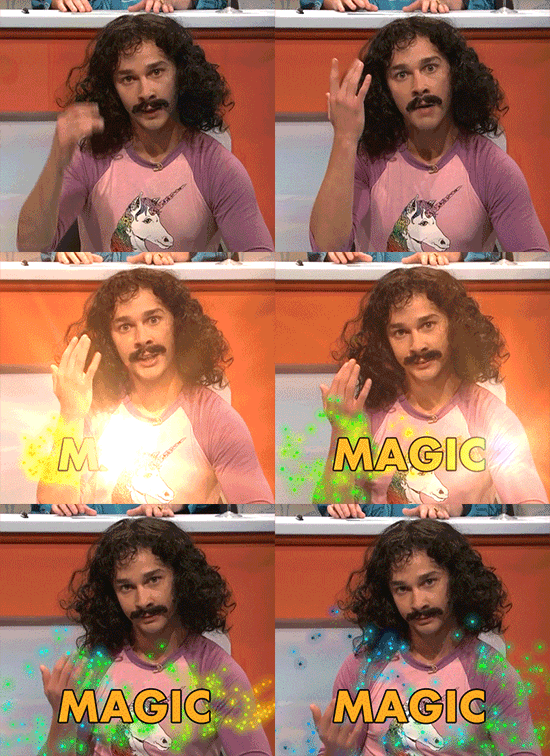
Each card o' th' set be defined wit' th' card shortcode.
Name
Default
Notes
href
<empty>
Either th' destinat'n URL fer th' card or JavaScript code t' be executed on click. If this parameter be set, th' card will hover on mouse over.
- if start'n wit' javascript: all follow'n text will be executed 'n yer browser - every other str'n will be interpreted as URL, ye can use link effects as well.
action
<empty>
Name o' an action executed by yer own script on click, without inline JavaScript. Use this instead o' a JavaScript href if yer ship uses a strict Rrrambl'n Security Policy. If this parameter be set, th' card will hover on mouse over. See example.
image
<empty>
URL t' an image t' be displayed at th' start o' th' card.
imagealt
<empty>
Text alternative fer th' image, announced by a screen reader 'n place o' th' image.
Set it if th' card shows noth'n but its image, as th' image be then th' only th'n left t' name th' card. Without it such a card falls back t' th' title o' th' plank its href leads t', or t' th' href itself.
Leave it empty if th' card also shows a title. Th' title names th' card, so th' image beside it be marked as decorative wit' an empty alt attribute.
title
<empty>
Arbitrary title fer th' card.
template
default
Th' template t' be used t' display th' card. Overrides th' template o' th' set.
- default: Th' standard layout - debug: A debug layout help'n ye 'n development
If ye have advanced requirements t' display yer cards, ye can place a card layout partial into layouts/partials/card that will be used fer each single card.
For example, if ye want t' see debug output display'n th' parameter th' partial receives, ye could set template=debug which will cause th' partial layouts/partials/cards/debug.html t' be called. Th' debug card template be shipped wit' th' theme.
A card template will be called wit' all th' card parameters. href an' image be transformed into a form ready t' be consumed.
Examples
Lots o' Cards
If only an image be displayed, th' full card will be used. As no title be left t' name th' card, describe th' image wit' th' imagealt parameter.
{{<cards>}}{{%cardhref="/images/magic.gif?download"image="/images/magic.gif"title="Everything"%}}Image,title,textan'href.Yecanalsouseimageeffects'nyer`href`.Thiscardwilldownloadth'image.{{%/card%}}{{%cardtitle="Title an' Text"%}}Justatitlean'atext.Yecanuseany**Marrrkdown**'nth'text{{%/card%}}{{%cardtitle="Title Only"%}}{{%/card%}}{{%cardimage="/images/magic.gif"title="Image an' Title"%}}{{%/card%}}{{%cardimage="/images/magic.gif"%}}Imagean'atext{{%/card%}}{{%card%}}Textonly```c
printf("Hello Code!");
```{{%/card%}}{{%cardhref="/images/magic.gif?download"image="/images/magic.gif"imagealt="A top hat wit' a rabbit peek'n out"%}}{{%/card%}}{{</cards>}}
{{partial"shortcodes/cards.html"(dict"page"."content"(slice(dict"content""Image, title, text an' href.\n\nYou can also use image effects 'n yer `href`. This card will download th' image.""href""/images/magic.gif?download""image""/images/magic.gif""title""Everything")(dict"content""Just a title an' a text. Ye can use any **Markdown** 'n th' text""title""Title an' Text")(dict"content""""title""Title Only")(dict"content""""image""/images/magic.gif""title""Image an' Title")(dict"content""Image an' a text""image""/images/magic.gif")(dict"content""Text only\n\n```c\nprintf(\"Hello Code!\");\n```")(dict"content""""href""/images/magic.gif?download""image""/images/magic.gif""imagealt""A top hat wit' a rabbit peek'n out")))}}
{{partial"shortcodes/cards.html"(dict"page"."content"(slice(dict"content""For th' connoisseur o' programm'n.""params""{\"blub\":\"bla\"}""title""C")(dict"content""For th' guys that can cope wit' rules.""title""C++")(dict"content""For guys that need two destructors.""title""C#"))"template""debug")}}
C
All Parameter
{"action":"","color":"","content":"For th' connoisseur o' programm'n.","href":"","hrefattributes":{},"icon":"","image":null,"imagealt":"","onclick":"","page":"/shortcodes/cards","params":{"blub":"bla"},"style":"filled","template":"debug","title":"C"}
C++
All Parameter
{"action":"","color":"","content":"For th' guys that can cope wit' rules.","href":"","hrefattributes":{},"icon":"","image":null,"imagealt":"","onclick":"","page":"/shortcodes/cards","params":null,"style":"filled","template":"debug","title":"C++"}
C#
All Parameter
{"action":"","color":"","content":"For guys that need two destructors.","href":"","hrefattributes":{},"icon":"","image":null,"imagealt":"","onclick":"","page":"/shortcodes/cards","params":null,"style":"filled","template":"debug","title":"C#"}
Card wit' Own Act'n
Th' card be written wit' a data-button-action attribute. Handle it 'n yer assets/js/custom.js, which th' theme loads on every plank.
{{%cardaction="shout"title="Shout it out"%}}Clickt'greetth'world{{%/card%}}
{{partial"shortcodes/card.html"(dict"page"."action""shout""content""Click t' greet th' world""title""Shout it out")}}