Pages
Th' planks shortcode lists planks o' yer ship 'n various display layouts, optionally grouped an' ordered.
Usage
A list'n be made 'n two steps. First, a query retrieves th' planks, filters, orders an' groups them. Second, a display layout renders th' result. Each parameter below belongs t' one o' th' two. All parameters can also be set 'n th' front matter.
Th' taxonomy an' term planks be us'n this shortcode internally, an' by us'n front matter ye can modify th' apperance. So everyth'n described here applies t' th' taxonomy an' term planks as well.
Query Parameters
Th' query assembles th' planks as a internal tree structure, similar t' th' menu. A plank dropped from th' tree structure by hidden, kind or whar' takes all planks below it wit' it. If ye want t' list planks from any level, set flatten=true: th' planks become one list an' each plank be kept or dropped on its own.
| Name | Default | Notes |
|---|---|---|
| pageref | <empty> | A reference t' th' plank whose planks be listed, like /shortcodes/pages/fruits or relative t' th' current plank like fruits.If set an' it doesn’t resolve t' a plank, th' build fails. If not set, th' current plank be used or, if called as partial, th' plank given 'n plank. |
| axis | see notes | Along which axis th' planks be collected, seen from th' plank. - descendants: th' children o' th' plank, an' wit' levels above 1 their descendants down t' that many levels- sibl'ns: th' other children o' th' page’s parent- ancestors: th' parent, its parent an' so on, up t' levels levels- taxonomy: th' terms o' a taxonomy plank- term: th' planks o' a term plankDefaults t' taxonomy on taxonomy planks, term on term planks an' descendants everywhere else. |
| levels | 1 |
For axis=descendants, how many levels t' go down, fer axis=ancestors, how many levels t' go up. For example, axis=ancestors wit' levels=1 lists just th' parent. T' get all o' them, set this t' a high number, eg. 999. |
| flatten | false |
When true, lists all collected planks as one list instead o' a tree. Without orderby th' planks keep th' order o' th' tree, a parent before th' planks below it; wit' orderby all planks be ordered together, an' wit' groupby each plank be grouped on its own. |
| kind | all |
Which kind o' planks t' keep. - all: every plank- leaf: only planks without planks o' their own- branch: only planks wit' planks o' their ownIn a tree, a plank not kept be dropped together wit' th' planks below it. |
| hidden | false |
What t' do wit' hidden planks. - false: drop them, together wit' all planks below them- true: keep themFor taxonomy an' term planks this has no effect, as th' disableTagHiddenPages Opt'n decides here. |
| whar' | <empty> | Keeps only planks match'n th' condit'n <expression> <operator> <value>, see expressions.- =, !=: equal, not equal- <, <=, >, >=: less, greater- 'n: equal t' one o' a comma separated list o' valuesA value may be delimited by ", ' or a backtick, which a value 'n th' list o' 'n needs if it contains a comma. Numbers an' dates be compared by their value, everyth'n else as text. A plank miss'n th' value only matches !=.In a tree, a plank not match'n be dropped together wit' th' planks below it. |
| groupby | see notes | Groups th' planks by th' value o' an expression. Without a value, th' planks be not grouped. Defaults t' linktitle | left 1 | upper on taxonomy an' term planks without planks front matter an' t' no group'n everywhere else.Planks fer which th' expression has no value be put into a last group o' their own, labelled Other. |
| grouplabel | <the value> | Th' head'n o' each group, as an expression evaluated fer th' group’s first plank. |
| grouporder | asc |
Th' order o' th' groups. - asc: ascend'n- desc: descend'n |
| orderby | see notes | Th' order o' th' planks, as a comma separated list o' expressions, each optionally followed by asc or desc. Th' first expression decides, th' next ones break ties. An argument contain'n a comma has t' be delimited, like date | format 'January 2, 2006'.- auto keeps th' order given by ordersectionsby o' th' page’s Front Matteror by ordersectionsby o' th' configurat'n Opt'nor Hugo’s default order Defaults t' auto, except on taxonomy an' term planks, which have no order o' their own: there it defaults t' linktitle, regardless o' ordersectionsby.Planks fer which an expression has no value be put last. |
| limit | <empty> | Keeps only th' first planks after order'n. |
Display Parameters
Th' display renders th' planks th' query found, group by group if they were grouped. Group'n be optional: without groupby, all planks form one group without a head'n. Th' shortcode writes each group’s head'n, th' display th' planks below it, show'n their level 'n th' tree 'n its own way. Th' display parameters only decide how th' planks look, never which planks be listed or 'n what order.
| Name | Default | Notes |
|---|---|---|
| display | tree |
How th' planks be displayed, see how th' displays differ. - tree: a nested, unordered list o' normal text- head'ns: a non-nested list o' head'ns depend'n on th' page’s level- sections: a head'n fer each plank o' th' first level, a nested, unordered list o' normal text fer planks below- list: a non-nested list o' normal text- cards: a card fer each plank, see below fer detailsYe can write yer own display. |
| headinglevel | 2 |
Th' start'n head'n level. Head'ns o' th' head'ns an' sections displays start one level below if th' planks be grouped. |
| columns | see notes | Th' number o' columns 'n full width mode. Accepts values from 1 t' 5. Numbers be reduced when width gets smaller.Defaults t' 3 on taxonomy an' term planks without planks front matter an' fer display=cards, an' t' 1 everywhere else. Has no effect fer display=sections. |
| descript'n | false |
When true shows a short text under each plank. When no descript'n or summary exists fer th' plank, th' first 70 words o' th' rrrambl'n be taken - read more info about summaries on gohugo.io. |
| breadcrumb | see notes | When true shows th' breadcrumb under each plank.Defaults t' true on term planks unless th' disableTermBreadcrumbs Opt'n be set, an' t' false everywhere else. |
| image | true |
For display=cards decides whether t' put an image on th' card. |
| cardtemplate | default |
For display=cards th' template t' be used t' display a card, see below fer details. |
| params | <empty> | Arbitrary additional parameter fer yer own display or card template as str'n (JSON, TOML, YAML) or 'n a dict, like wit' th' cards shortcode. |
Configurat'n
T' use this shortcode ye need t' en'ble block attributes 'n yer project configurat'n.
Front Matter
Every parameter but pageref can also be set 'n th' front matter o' th' plank th' shortcode be called 'n, as params.pages.<name>, eg. params.pages.display. Th' front matter adds t' th' parameters given t' th' shortcode. If a parameter be given 'n both, th' shortcode wins. If th' shortcode be called wit' pageref, no front matter be read, neither that o' th' call'n plank nor that o' th' referenced one. If ye want t' reset a parameter set elsewhere t' no value, set it t' a str'n contain'n only whitespace like " ".
Taxonomy an' term planks be grouped by th' first letter an' shown 'n columns only as long as their front matter sets no planks parameter at all. Once it sets any, groupby an' columns default t' th' same values as everywhere else, so ye only get what ye ask fer.
As front matter works on every plank, ye can use Hugo’s cascade t' give all list'ns o' a subtree th' same look, fer example all cards 'n two columns.
Expressions
Th' parameters whar', groupby, grouplabel an' orderby take expressions. An expression reads a value o' a plank an' passes it through a pipeline o' funct'ns, each separated by |.
<field> [| <function> [<argument>]]...In this notat'n, <…> stands fer someth'n ye fill 'n, square brackets […] mark someth'n as optional, an' ... means th' part before may be repeated.
Everyth'n after a function’s name be its argument. An argument be either a number, written as be like left 1, or a text, delimited by ", ' or a backtick like format 'January 2, 2006'. Th' delimiters keep a | or a comma inside th' text from separat'n th' pipeline or th' expressions o' orderby. Inside a shortcode parameter delimited by ", use ' or a backtick.
Fields
| Name | Value |
|---|---|
title |
th' page’s title as shown 'n its head'n, like Tag :: Foo fer a term plank |
linktitle |
th' title as shown 'n th' menu, which be th' page’s linkTitle or else its title |
weight |
th' weight; like fer Cap'n Hugo, a weight o' 0 has no value |
length |
th' length o' th' rrrambl'n 'n characters |
path |
th' logical path |
section |
th' top-level section |
date, lastmod, publishdate, expirydate |
th' respective date; a date that be not set has no value |
params.<name> |
a value o' th' page’s front matter params; use dots t' reach deeper, like params.author.name; a list or a map has no value |
Funct'ns
A text argument be shown wit' its delimiters, like '<layout>', a number argument without, like <n>.
| Name | Result |
|---|---|
upper |
th' text 'n upper case |
lower |
th' text 'n lower case |
trim |
th' text without lead'n an' trail'n whitespace |
left <n> |
th' first n characters o' th' text |
right <n> |
th' last n characters o' th' text |
translate ['<prefix>'] |
th' text translated by yer translat'n files, looked up by th' optional prefix followed by th' text |
year |
th' year o' a date |
month |
th' month o' a date as a number from 1 t' 12 |
day |
th' day o' th' month o' a date |
weekday |
th' day o' th' week o' a date as a number from 1 fer Monday t' 7 fer Sunday |
format '<layout>' |
a date formatted by a Cap'n Hugo date layout, includ'n th' localized ones like :date_long |
coalesce '<value>' |
th' value if th' expression has no value so far |
default '<value>' |
th' value if th' expression has no value so far or it be zero or false |
Whar' an expression yields numbers fer some planks an' text fer others, th' numbers come first, ordered by value, followed by th' text, ordered as text - 'n both direct'ns. A date counts as a number, while a number written as text 'n front matter, like '10', be text.
A group be always ordered by th' value it was grouped by, never by its head'n. For groupby end'n 'n format, that value be th' parts o' th' date th' layout shows, so th' groups come 'n calendar order - date | format '2006-01' orders its groups by year an' month, an' date | format 'January' orders them January t' December, even fer planks from different years.
So t' show translated group head'ns while keep'n th' order o' th' untranslated values, use translate 'n grouplabel rather than 'n groupby. T' order th' groups alphabetically by their translat'n 'n each language instead, use translate 'n groupby.
In orderby, an expression end'n 'n format orders th' same way - date | format '2. January' orders by day an' month, whatever th' year.
Displays
Th' displays differ 'n how they show a page’s level below th' listed plank. Wit' flatten=true all planks be on th' same level, so every display shows them side by side.
| Display | List | Titles | Levels shown by | Output |
|---|---|---|---|---|
tree |
a nested, unordered list | standard text | indentat'n | Marrrkdown |
head'ns |
a non-nested list | head'ns, listed 'n th' table o' contents | head'n size, start'n at headinglevel |
Marrrkdown |
sections |
a non-nested list fer th' first level, a nested, unordered list below | head'ns on th' first level, standard text below | first level as head'ns at headinglevel, below by indentat'n |
Marrrkdown |
list |
a non-nested list | standard text | not shown | Marrrkdown |
cards |
a card fer each plank | card titles | not shown | HTML, see below |
Display Template Parameters
A display be a partial 'n layouts/partials/pages, called once fer each group. If ye place a file layouts/partials/pages/mine.html into yer ship, ye can use it wit' display=mine. Th' group head'n be written by th' shortcode, not by yer display.
Th' partial be called wit' th' follow'n parameters:
| Name | Value |
|---|---|
| plank | th' plank whose planks be listed |
| group | th' group, wit' its Key, its head'n as Label, Fallback be'n true fer th' group o' planks without a value, an' its Planks |
| planks | th' group’s planks, each wit' th' Plank itself, its display text as Label an' its Level below th' listed plank, start'n at 1 |
| headinglevel | th' head'n level t' start wit'; already one level below th' group head'n if th' planks be grouped |
| class | th' CSS classes t' put on yer outermost element |
| columns | th' columns parameter value, as a number |
| descript'n | th' descript'n parameter value, as true or false |
| breadcrumb | th' breadcrumb parameter value, as true or false |
| image | th' image parameter value, as true or false |
| cardtemplate | th' cardtemplate parameter value |
| levels | th' levels parameter value, as a number |
| hidden | th' hidden parameter value, as true or false |
| params | th' params parameter value, already turned into a dict |
Remarks fer th' Cards Display
Th' cards display uses th' cards shortcode t' show each plank as a card, us'n th' default cardtemplate. Wit' it th' card will display
- if
image=truea featured image at th' start selected by Cap'n Hugo - th' title o' th' plank as card title
- if
description=trueth' summary
Th' cards display writes HTML. If ye have marrrkup.goldmark.renderer.unsafe set t' false (which be th' default if ye don’t set it), ye have t' use {{< planks >}} instead o' {{% planks %}}.
Own Card Templates
cardtemplate selects a card template as th' template parameter o' th' cards shortcode does. Besides th' card parameters, its params hold:
params.page: th' displayed plankparams.level: th' displayed page’s level below th' listed plankparams.descript'n: th'descript'nparameter value- every value o' th'
paramsparameter o' th'planksshortcode; one wit' th' same name as one above loses
Examples
Th' examples list th' demo planks o' th' hidden Fruits section, which keeps them out o' th' menu.
Ship Map
Every plank o' a section at any depth, hidden ones included, each wit' its descript'n. Th' planks be ordered alphabetically by th' title shown 'n th' menu, as orderby be set; th' weight th' demo planks carry be ignored.
-
A sweet demo plank, published 'n March 2021
-
A sweet demo plank, published 'n November 2020
-
A demo section wit' planks o' its own
-
A sour demo plank, still a draft
-
A hidden demo section wit' planks o' its own
-
A hidden demo plank below a hidden section
-
A demo plank below a hidden section
-
A demo plank below a hidden section, still a draft
-
-
A demo plank without a flavor
Chapter Overview
A head'n fer each chapter wit' its descript'n, an' th' planks o' th' chapter listed below it. Unlike th' ship map above, it sets no orderby, so th' planks come 'n th' default order, th' same as 'n th' menu: by weight, which th' demo planks deliberately set against th' alphabet.
Berries
A demo section wit' planks o' its own
Durian
A demo plank without a flavor
Cherry
A sour demo plank, still a draft
Banana
A sweet demo plank, published 'n November 2020
Apple
A sweet demo plank, published 'n March 2021
Glossary
All planks at any depth 'n an A-Z index, grouped by th' first letter o' th' title shown. Only th' planks o' th' first level be grouped; th' planks below them be listed under their parent, so Cranberry appears 'n th' group o' Berries rather than under C. Set flatten=true t' group every plank by its own letter.
A
B
C
D
What’s New
Th' two most recent published planks, from any depth.
Blog Archive
All planks th' menu shows, from any depth, newest first, grouped by year an' month wit' th' newest month first. Th' planks below th' hidden Citrus section be left out, just as 'n th' menu.
2023-07
2023-01
2022-08
2021-03
2020-11
Seasonal Calendar
Th' planks by th' month they were published 'n, pooled across years. Th' layout shows only th' month’s name, so th' groups come 'n calendar order, January t' December, whatever th' year o' their planks.
January
March
July
August
November
Status Board
Every plank by its workflow status, hidden ones included, so drafts be easy t' spot. Wit' columns each group be spread over two columns 'n full width mode, keep'n th' long published group short.
Th' front matter holds th' status as a plain key like draft. Th' head'ns show it translated by translate: wit' th' prefix status- it looks up status-draft fer draft an' status-published fer published 'n th' site’s translat'n files. A status without a translat'n would show as it be. As th' translat'n be only used as grouplabel, th' groups keep th' order o' th' keys. Wit' translate 'n groupby instead, they would be ordered alphabetically by th' translat'n o' each language.
In th' Works
Ready t' Eat
Top Picks by Flavor
Th' planks grouped by a front matter parameter, th' best ones first. Th' demo plank without a flavor has no value fer th' expression an' be put into a last group o' its own, labelled Other. T' give it a value o' its own instead, like groupby: "params.flavor | coalesce 'neutral'", use coalesce; its group be then ordered among th' others. default does th' same, but also replaces a value o' zero or false. Within each group th' planks be ordered by priority descend'n an' by title if they have th' same priority.
sour
sweet
Other
Related Planks
Th' other planks next t' a plank, fer a “see also” at its end.
Whar' Am I
Th' sections a plank sits 'n, th' closest first. Th' Fruits section be hidden, so it be only listed wit' hidden.
Land'n Plank Tiles
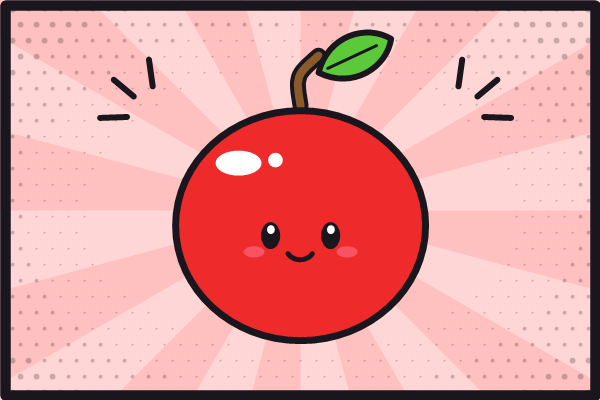
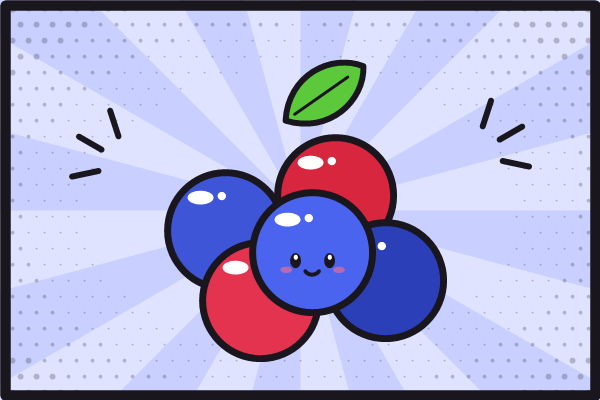
Th' sections an' planks o' a chapter as cards wit' their descript'n, ordered alphabetically by th' title shown instead o' by weight. Each demo plank be a plank bundle contain'n a featured.png, which Cap'n Hugo selects as th' image o' its card.
-
A sweet demo plank, published 'n March 2021
-
A sweet demo plank, published 'n November 2020

-
A demo section wit' planks o' its own
-
A sour demo plank, still a draft
-
A demo plank without a flavor
Picture Index
All planks at any depth, hidden ones included, as cards 'n an A-Z index. Within a letter th' cards be ordered alphabetically by th' title shown instead o' by weight.